 listicle
Digital Service Reports for Contractor Management
Table of Contents
- Why Digital Service Reports Matter for Contractor Accountability
- Key Field Service Management Software Features You Need
- How Digital Service Reports Improve Transparency and Communication
- Home Maintenance Documentation Best Practices
- Benefits of Digital Maintenance Logs for Long-Term Property Care
- Real-Time Job Status Tracking and Photo Documentation
- What to Look for in a Contractor Management Solution
- Frequently Asked Questions
Last Updated: October 1, 2026
Why Digital Service Reports Matter for Contractor Accountability
A digital service reports contractor creates accountability by documenting what was done, when, and what comes next, transforming contractor management from informal "handshake and hope" into verifiable professional service.
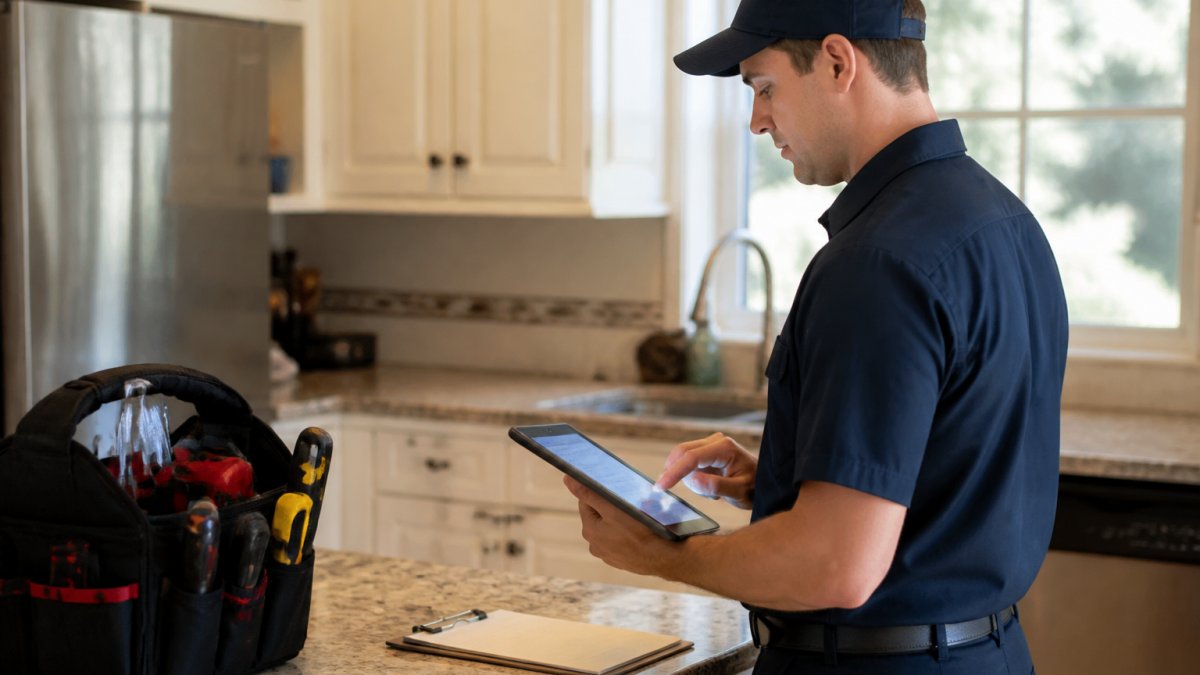
Without documentation, disputes arise with no proof of what was actually done. Digital service reports eliminate this by creating an auditable trail: timestamped photos, detailed descriptions, and signatures from both parties. For homeowners managing multiple contractors, this becomes essential.
Lone Eagle Home Services provides digital service reports after every visit, ensuring homeowners have complete visibility into work performed. Timestamped documentation builds trust through transparency, you know exactly what you're paying for.
Key Field Service Management Software Features You Need
Field service management software automates post-visit workflows, eliminating manual steps that delay documentation and lose information.
Post-Visit Report Automation Workflows trigger automatically when a technician marks a job complete: the report template populates with captured data, photos upload to cloud storage, and the finalized report emails to the homeowner within seconds. The best platforms require photo documentation and mandatory fields (parts used, labor hours, recommendations) before submission, eliminating delays and forgotten reports.
Offline-to-Online Sync Reliability caches report data locally on mobile devices and syncs automatically when connection returns, preventing lost documentation in areas with poor coverage. Look for platforms that show clear sync status and allow technicians to verify reports were received before leaving the property.
Real-Time Job Status Tracking sends automated notifications at key moments: technician assigned, arrived, work in progress, complete, and report ready. Map and timeline views show technician location and status changes, eliminating uncertainty for homeowners managing multiple properties.
Photo Documentation with Metadata Capture automatically embeds GPS location, timestamp, technician ID, and job ID into photos, preventing disputes about when photos were taken. The system should require a minimum number of photos before report submission.
Integration with Third-Party Verification Tools connects service reports to compliance platforms, warranty registries, and quality assurance systems via API or pre-built integrations, eliminating manual data re-entry.
The most valuable field service management platforms combine automated post-visit workflows, reliable offline-to-online sync, real-time tracking, and photo documentation into a single mobile-first system. Everything else is secondary.
How Digital Service Reports Improve Transparency and Communication
Transparency is the foundation of contractor accountability. Digital service reports create a shared source of truth, making communication clearer and disputes rarer.
Client-facing reports should explain work in plain language: what the problem was, what was done to fix it, and recommendations for the future. Lone Eagle Home Services prioritizes this clarity so homeowners understand exactly what they're paying for.
Real-time notifications confirming technician arrival and work completion eliminate uncertainty and build confidence, especially for busy professionals managing multiple properties.
Photo documentation makes the case for preventative work persuasive, visual evidence of problems (corroded valves, cracked seals, debris) is more compelling than any sales pitch.
Home Maintenance Documentation Best Practices
Proper documentation creates a historical record that protects your property investment and allows future technicians to understand what's been done.
Use standardized reporting templates with consistent structure: problem identified, work performed, materials used, time spent, and recommendations. This consistency reveals patterns and helps spot systems requiring frequent repairs.
Include specific details about parts replaced: model numbers, quantities, and testing results. Generic notes like "fixed the issue" create confusion and prevent warranty claims.
Time-stamped logs prove work was completed when claimed, protecting both you and the contractor. Many rental properties and commercial structures require documented maintenance records for compliance.
Benefits of Digital Maintenance Logs for Long-Term Property Care
A digital maintenance log makes preventative work visible and trackable, reminding you when seasonal tune-ups are due and showing records of past service.
Digital logs transfer knowledge instantly when selling or transitioning property managers. New contractors can review maintenance history and avoid redundant work.
Cost predictability improves with digital logs. When you track what maintenance costs over several years, you can budget accurately. This predictability is exactly what membership-based services like Lone Eagle Home Services provide.
Property value protection is often overlooked. Homes with documented maintenance histories command higher resale values. Buyers see proof that systems have been cared for, reducing their perceived risk. Digital service reports become part of your property's story, evidence that you've invested in its longevity.
Real-Time Job Status Tracking and Photo Documentation
Knowing where your contractor is and what they're doing eliminates anxiety and creates accountability. Real-time job status tracking sends automatic updates at critical moments: technician assigned, technician en route, technician arrived, work in progress, work complete, and report ready for review. For homeowners who can't be present during service visits, this visibility is essential. The best platforms display technician location on a map in real time and maintain a timeline showing exactly when each status change occurred, creating an auditable record of the visit duration and sequence.
Client-Facing Report Readability Standards are where most contractor management platforms fail. A report filled with technical jargon, abbreviations, and incomplete sentences serves no one. The best reports follow a structure that non-technical homeowners can understand and act on:
- Problem Identified: Plain-language description of what the technician found. Instead of "compressor cycling issue," write "Your air conditioning compressor was cycling on and off every 2-3 minutes instead of running continuously, which indicates low refrigerant or a failing capacitor."
- Work Performed: Step-by-step explanation of what was done. Include specific part numbers and model information if components were replaced. Example: "Replaced capacitor (Carrier part #HH84AA225, 25 microfarads, 370 volts) in outdoor unit. Tested system operation at 72°F indoor setpoint. Compressor now cycles normally with 15-minute run times."
- Time Spent: Total labor hours and breakdown by task. This transparency helps homeowners understand value and budget for future service.
- Materials Used: Itemized list of parts, fluids, or supplies used during the visit. Include quantities and costs if the homeowner is being billed for materials.
- Photos with Captions: Before-and-after images with brief explanations. Instead of unlabeled photos, include captions like "Before: Evaporator coil showing heavy dust accumulation" and "After: Coil cleaned and tested for proper airflow."
- Recommendations for Future Care: Specific, actionable next steps. Rather than "consider maintenance," write "Schedule annual spring tune-up before cooling season (April-May) to prevent mid-summer breakdowns."
- Warranty Information: If parts were replaced, include warranty terms. Example: "Capacitor includes 3-year manufacturer warranty. Keep this report for warranty claims."
This structure ensures that homeowners understand exactly what they paid for and why. It also becomes valuable documentation if a system fails shortly after service, the report proves what was done and when.
Photo Documentation as Evidence creates a visual record that text alone cannot provide. A sequence of before-and-after photos shows the condition of the system and the completed work.
What to Look for in a Contractor Management Solution
Evaluating contractor management software means prioritizing features that solve your specific problems. For homeowners managing seasonal tune-ups and coordinated repairs, certain capabilities matter more than others.
| Feature | Why It Matters | Red Flag |
|---|---|---|
| Mobile-first reporting | Technicians complete work on-site, not later | Platform requires office access to finish reports |
| Photo documentation | Visual proof of work and conditions | Photos optional or difficult to attach |
| Real-time notifications | You know when technician arrives and completes work | You find out after the fact via email |
| Cloud-based storage | Reports accessible anywhere, permanently archived | Files stored locally or deleted after 12 months |
| Customizable templates | Reports match your specific needs and property type | Generic templates that don't fit your situation |
| Integration capability | System connects with your other tools and workflows | Isolated platform requiring manual data entry |
Frequently Asked Questions
What should a quality digital service report include?
A comprehensive digital service report documents what work was completed, when it was performed, and by whom. It should include time-stamped logs, photos of the work, materials used, any issues discovered, and recommendations for future maintenance. Electronic signatures from both the technician and homeowner confirm accountability. Reports should be accessible through a client portal so you can reference service history anytime, creating a complete maintenance record for your property.
How do digital maintenance logs prevent costly repairs?
Digital maintenance logs create a documented history of all work performed on your home. This record helps identify patterns, like recurring HVAC issues or seasonal problems, before they become expensive emergencies. When contractors can see what was done previously, they catch small problems early. Proactive seasonal tune-ups documented in digital logs catch wear before failure occurs, which costs far less than emergency repairs or full system replacement.
Why is real-time job status tracking important for homeowners?
Real-time job status tracking eliminates uncertainty about when contractors will arrive and what they're doing. You receive automated notifications when technicians are en route, when they arrive, and when work is complete. This transparency builds trust and allows you to plan your day accordingly. For busy professionals, this eliminates the need to be home waiting or constantly calling to check status, making contractor management far less stressful.
How do I verify work quality through digital service reports?
Digital service reports include before-and-after photos, detailed descriptions of work performed, and materials used. Time-stamped logs show exactly how long work took and what was accomplished. Electronic signatures confirm the work was completed as described. Many systems allow homeowners to rate work and flag concerns directly in the report. This documentation creates accountability, if something goes wrong later, you have proof of what was done and by whom.