 how-to
How to Coordinate Home Renovations With a Full-Time Job
Table of Contents
- How to Prepare for a Home Renovation Before Work Begins
- Building a Home Renovation Timeline and Milestones That Survive a Workweek
- Using a Home Renovation Project Schedule Template to Plan Around Your Calendar
- Your Contractor Communication Checklist for Busy Professionals
- How to Coordinate Home Renovations With a Full-Time Job Day to Day
- Managing Renovation Stress, Noise, and Living in the House During Construction
- Digital Tools and Remote Project Management for Homeowners
- When to Hand Off Coordination to a Professional
- Frequently Asked Questions
Last Updated: October 17, 2026
How to Prepare for a Home Renovation Before Work Begins
Coordinating home renovations with a full-time job comes down to one principle: decide everything you can before the first hammer swings. Most renovation stress comes from decisions made mid-workday, under pressure, with a contractor waiting.
Homeowners who front-load decisions sail through projects, while those who decide on the fly lose evenings, vacation days, and patience. Here is how to prepare without hijacking your calendar.
Lock Down Scope, Selections, and Site Access
Three things must be final before work begins: the scope, the finish selections, and how the crew gets in.
- Scope: A written list of what is and is not included. No verbal add-ons.
- Selections: Tile, paint, fixtures, and hardware chosen and ordered. Backorders stall schedules.
- Site access: A lockbox code, garage code, or key handoff plan so you never drive home mid-meeting.
A common mistake is leaving selections open "to decide later." Later is always a Tuesday at 2 p.m. when you are on a call. Lock it down now.
Build a Convenience Budget for the Inevitable
Set aside money, separate from the construction budget, for costs that keep your life running: meal delivery during kitchen downtime, a coworking day pass when the house is too loud, laundry service if the washer is disconnected, and temporary storage for furniture. Budgeting for convenience is not waste, it keeps a busy professional sane.
Building a Home Renovation Timeline and Milestones That Survive a Workweek
A home renovation timeline and milestones only work if they match your actual calendar. A schedule built for someone home all day falls apart once you add meetings and commutes. Map your project into phases, then attach a decision deadline to each.
| Phase | What You Decide | When to Decide | Your Time Cost |
|---|---|---|---|
| Pre-construction | Scope, selections, access | Before start | 3-5 evening hours |
| Demolition | Nothing, but expect noise | Week 1 | Minimal |
| Rough-in (electrical, plumbing) | Layout confirmations | Week 2 | 1 walkthrough |
| Drywall and finishes | Paint, trim, hardware | Week 3 | 1-2 calls |
| Final walkthrough | Punch list | Last week | 1 visit |
Print this and treat the decision deadlines like work deadlines. Miss one, and the whole schedule slips.
Using a Home Renovation Project Schedule Template to Plan Around Your Calendar
A home renovation project schedule template turns a vague timeline into something you can calendar: phases down the left, dates across the top, and a decision owner in each cell. Build yours with these columns:
- Phase and task
- Start and end date
- Decision deadline
Then block the decision deadlines on your work calendar as real appointments, like client meetings. This one habit removes most mid-day interruptions. The tool matters less than the discipline of blocking the time.
Your Contractor Communication Checklist for Busy Professionals
A contractor communication checklist keeps you from becoming the bottleneck. The goal is fewer, better conversations, not constant texting.
- Agree on one primary channel (email, app, or text) and one backup
- Set a daily check-in window that fits your workday
- Require written change orders before any extra work
Legal and Contractual Protections to Put in Writing
This is where busy professionals get burned. Get these in writing before work starts:
- Payment schedule tied to milestones, not dates
- Change order process with signed approval required
- Lien waivers from subcontractors as work is paid
The Federal Trade Commission's consumer guidance on home improvement contracts outlines what a solid contract should cover. Read it before you sign. A clear contract protects your time as much as your money.
How to Coordinate Home Renovations With a Full-Time Job Day to Day
Day-to-day coordination is about protecting your workday. The crew does not need you present. They need answers fast and access easy.
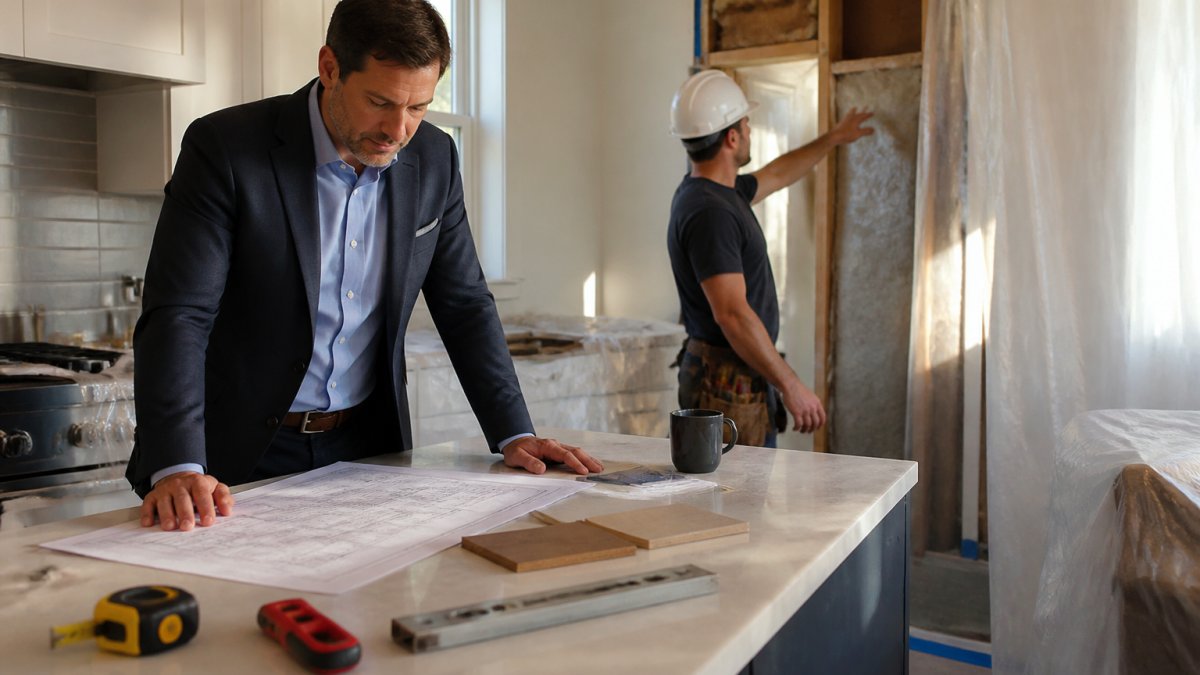
The 15-Minute Daily Check-In That Replaces Constant Texting
Set one daily check-in window, 7:30 a.m. before your first meeting, or 5:30 p.m. after your last call, and route everything through it. Fifteen minutes, same time each day, you:
- Read the contractor's end-of-day note or photo from the previous day
- Answer any open questions in the shared channel
- Confirm tomorrow's access and any deliveries
Everything else goes through the agreed channel and gets answered in that window. Tell your contractor explicitly: "If it's not an emergency, it goes in the channel and I'll answer at 5:30." A good contractor respects this because it makes their day predictable too.
A Day-in-the-Life WFH Protocol When the Crew Is in the House
Working from home during construction needs rules, not hope. Here is a protocol that holds up against a calendar full of Zoom calls:
- Map the noise calendar first. Ask the contractor which days are demolition, drywall sanding, and tile cutting. Those are the three loudest phases. Block those days as in-office days or coworking days a week ahead.
- Set a hard "no-knock" block. Give the crew your meeting-heavy hours (for most people, 9 a.m. to noon) and agree they will text rather than knock. Put a note on the door as a backup.
- Build a call bunker. A bedroom with a closed door, a white-noise machine, and a wired headset beats a kitchen table every time. Test your audio during a loud phase before you trust it for a client call.
The thing nobody tells you: the loudest work (demolition, drywall sanding) is short, usually a few days per phase, not weeks. Plan in-office days around those windows and the rest is manageable.
Remote Project Management Tools That Actually Fit a Homeowner
Most guides tell you to "stay organized" and stop there. Here is the stack that works for a full-time professional:
- A shared board for decisions and to-dos. Trello, Asana, or a shared Apple/Google Note all work. The tool matters less than one card per open decision, with a due date and an owner.
- A shared photo album for daily progress. A shared iCloud or Google Photos album the crew posts to each evening. You review at your convenience, not theirs.
- A cloud folder for documents. Contracts, change orders, receipts, lien waivers, and warranty paperwork in one folder you can open from your phone.
Milestone tracking beats constant checking. Ask the contractor to post a photo each evening and a written two-week look-ahead every Friday, and review both during your check-in window.
Handling Unexpected Delays Without Burning Vacation Days
Delays are normal. What separates a tolerable delay from a costly one is having a decision ready when the schedule shifts. Keep a short list of "if this slips, we do that" fallbacks, a second paint color already approved, a backup fixture already selected, a punch-list walkthrough you can do on a Saturday.
When to Escalate to a Phone Call
Text and email are for decisions. Phone calls are for conflict. If a change order, a delay, or a quality issue is not resolved in two written exchanges, schedule a 15-minute call. Written trails protect you; live conversation resolves friction faster than a thread ever will.
Managing Renovation Stress, Noise, and Living in the House During Construction
Renovation fatigue is real, and it builds quietly. Living in the house during construction means dust, noise, and no retreat. The professionals who handle it best treat it like a project of its own, with a plan, a budget, and a schedule rather than willpower.
Set Up a Clean Room Before Demo Day
Pick one room, usually a bedroom or a den, and seal it before demolition starts. Tape plastic over the door, add a draft stopper, run a HEPA air purifier, and move in the essentials: bed, phone charger, laptop, a change of clothes, and snacks and water. This room is your retreat, do not let it become a staging area for boxes or tools.
Sequence the Noise Around Your Calendar
The loudest phases are predictable: demolition, drywall sanding, and tile cutting. Ask the contractor for those dates a week ahead, then block them on your work calendar as in-office or coworking days. The rest, rough-in, painting, trim, fixtures, is far more compatible with calls and focused work. Most homeowners find only a handful of days per project are truly unusable for work-from-home.
Budget for Convenience, Not Just Construction
Full-time workers pay a "time tax" during a renovation, and pretending otherwise is how budgets blow up. Set aside a separate convenience budget, distinct from the construction budget, for the services that keep your life running:
- Meal delivery or takeout during kitchen downtime
- A coworking day pass or a monthly hot-desk membership for loud phases
- Laundry service if the washer and dryer are disconnected
Treat this as a real line item, not an afterthought. The point is not luxury, it is protecting your work performance and sanity so you don't make rushed, expensive decisions because you're exhausted.
Protect Sleep and Downtime
Set a firm end-of-day quiet time with the contractor, most crews are happy to wrap loud work by mid-afternoon if you ask at the start. Keep one evening a week free of renovation decisions, and lower your standards for tidiness temporarily. The goal is to arrive at the final walkthrough with enough energy to actually inspect the work.
Know Your Exit Plan Before You Need It
Identify in advance where you will go when the noise peaks: a relative's house, a hotel, a coworking space, or a short-term rental. Having the plan ready, and the budget set aside, turns a potential crisis into a minor inconvenience.
Digital Tools and Remote Project Management for Homeowners
Remote management is the gap most guides ignore. You can run a renovation from your phone if you set it up right.
- Shared photo album for daily progress updates from the crew
- Project app (a simple shared board works) for decisions and to-dos
- Cloud folder for contracts, receipts, and change orders
Milestone tracking beats constant checking. Ask the contractor to post a photo each evening, and review it at your convenience, not theirs.
When to Hand Off Coordination to a Professional
There is a point where coordinating everything yourself costs more than it saves. If any of these sound familiar, hand off:
- You are burning vacation days on contractor visits
- Decisions keep slipping because you are too busy
- Multiple trades need scheduling and nobody owns the calendar
This is exactly the problem Lone Eagle Home Services solves. Our membership gives you one trusted team for maintenance and vendor coordination, with flat-rate pricing and confirmed appointments. We handle scheduling, follow-ups, and the seasonal tune-ups that prevent small issues from becoming expensive ones. Every visit ends with a digital service report, so you always know what happened.
Frequently Asked Questions
How can I manage home renovations while working full time?
Treat the renovation like a second project at work. Before demolition, lock down the scope, finish selections, and confirm site access rules with your contractor. Then build a home renovation timeline and milestones that match your actual calendar, batch decisions into one weekly call, and put everything in writing. Expect a few surprises, keep a convenience budget for takeout and temporary fixes, and delegate the daily oversight if your schedule cannot absorb it.
How often should I check in with a contractor during a remodel?
A short scheduled call once a week plus a written progress update is enough for most projects. Daily texts tend to create noise and slow decisions. Ask for milestone-based updates instead: framing complete, rough electrical done, drywall hung. For urgent items, agree on one channel and a response window in the contract. If you are traveling or in meetings all day, a project management app with photo updates keeps you informed without interrupting your workday.
How do I handle urgent renovation decisions while I am at work?
Pre-approve a decision range in writing before work starts. For example, authorize the contractor to choose among three specified tile options or approve change orders under a set dollar amount without calling you. Anything above that threshold waits for your scheduled call. This keeps the construction schedule moving while protecting you from surprise costs, and it removes the pressure to answer every text during meetings.
What should I ask a contractor before a renovation starts?
Ask for a written schedule with milestones, the names of the crew who will be on site, daily start and end times, and how they handle site access and security. Confirm the payment schedule, change-order process, insurance and licensing, and who is liable if something goes wrong. Get the communication channel and response window in writing too. A clear contractor communication checklist signed by both sides prevents most disputes before the first nail goes in.
Coordinating a renovation around a full-time job should not mean choosing between your career and your home. The fix is structure: locked decisions, a real timeline, and one accountable point of contact. If juggling contractors is eating your calendar, let Lone Eagle Home Services take coordination off your plate. See Plans to find the membership that fits your home.